


一句话定位:AI-powered 3D suite built on Blender, with an integrated agent, moodboard, generation tools and layer-based painting。这是 GitHub 上同类项目里热度前列的一个(607 Star),本文按本站项目库口径做拆解:它解决什么问题、怎么装、优缺点与适合人群。口碑口径:本站未逐一亲测本文全部项目,数据来自 GitHub 公开页面(采集于 2026 年 11 月),结论以「数据事实 + 通用理性分析」为准。
它解决什么问题
AI 3D 生成赛道这两年爆发,mixar-app 的切入点是:AI-powered 3D suite built on Blender, with an integrated agent, moodboard, generation tools and layer-based painting。标签:3d、agent、ai、blender。主要语言:Python,许可证:GPL-3.0,最近更新:2026-11-14——更新活跃度是判断这类项目能不能跟的第一指标,它在这一点上达标。
功能结构(据项目文档目录)
- What you can do with Mixar
- What you need to actually use AI features
- Building from source
- Prerequisites
- Quickstart
- Common build targets
热度与生态数据
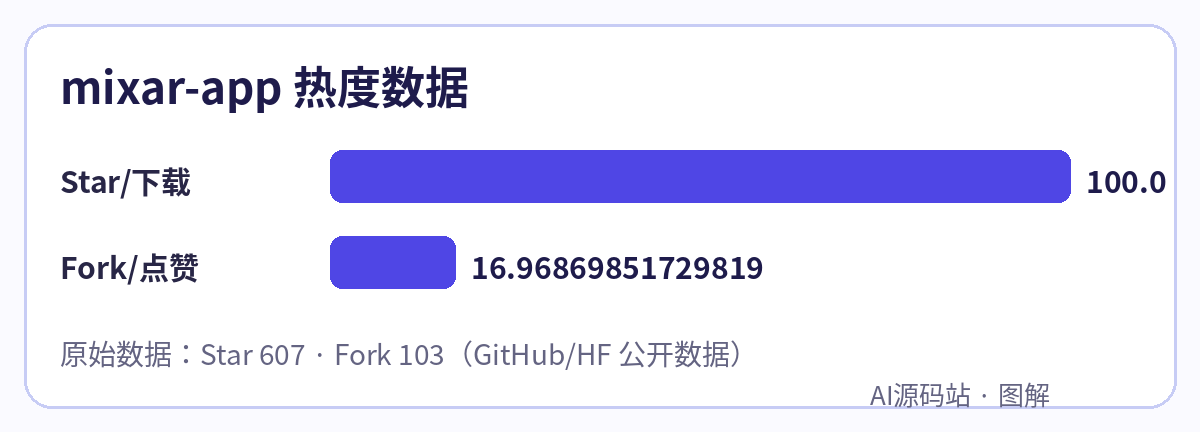
- Star:607;Fork:103(Fork 数高说明二次开发的人多,生态通常更耐用)
- 仓库:github.com/Mixar-AI/mixar-app
- 本站镜像:点击下载本站镜像(源码包)(国内直连高速,不用去 GitHub 慢慢拉) · GitHub 原仓库;镜像文件由发布流水线同步生成,若个别大仓库暂缺,点原仓库下载
- 本站拉取(Git 克隆):
git clone https://dl.yuanmazhan.net/git/mixar-app.git——国内直连 GitHub 拉不动时用这个地址,代码与原仓库一致;本站镜像为定期同步快照,要追最新版用上方 GitHub 原仓库
安装上手
按项目官方 README 的方式起步(原文命令):
# 1. Clone with the upstream Blender submodule
git clone --recursive https://github.com/Mixar-AI/mixar-texture-painting.git
cd mixar-texture-painting

# 2. Initialise submodules and LFS-tracked assets (if your clone skipped recursive)
make init

# 3. Configure runtime environment (copy template, fill in any backend URLs you want to target)
cp .env.example .env
$EDITOR .env

# 4. Full build: overlay + CMake + compile + bundle
make build
装完先把示例跑通,再动配置——这类项目九成的坑出在环境变量与模型 Key 没填对。
优点与缺点(通用理性分析)
- 优点:开源可控、社区规模摆在数据里;Python 技术栈对国内开发者友好;许可证 GPL-3.0 决定了商用边界,接入前先确认
- 缺点:这类项目迭代快、文档跟不上代码是通病;真要用于生产,模型费用、并发与安全(Key 管理、权限)都得自己兜底
适合谁
想把 AI 3D 生成 落地到自己业务/社群/工作流里的开发者与站长。先收藏本页,本站会跟踪它的版本变化与插件生态,有重大更新会在文末追加。
© Copyright Notice
文章版权归作者所有,未经允许请勿转载。
THE END













Please log in to view comments